
How Alfrada Works
Alfrada is a unified workspace where conversational steering, live tool execution, file generation, durable memory, searchable history, and repeatable playbooks converge into one system.
The Operating Model
- Initiate — You open a session with a clear directive, or ask Alfrada whether it can help achieve a specific objective.
- Route — Alfrada analyzes the intent, checks available context, and selects the best execution path.
- Execute — It can use tools, integrations, code execution, browser workflows, memory, history search, and playbooks to move the work forward.
- Deliver — Finished assets are captured in the Work Panel so outputs stay attached to the job.
- Retain — Useful memory, workflow patterns, and playbooks make future sessions stronger.
Beyond Chat: The Workspace Advantage
Alfrada is not a standard chatbot. It is a stateful execution engine designed for complex deliverables and multi-step work.
- Stateful Sessions — Accumulate files, live data, outputs, and revisions in a persistent workspace.
- Durable Intuition — Agent Intuition stores durable rules, context, and playbooks that improve later work.
- Searchable History — Alfrada can search older conversations and files when a project needs continuity.
- Scalable Execution — Use a focused agent for single-threaded work, or trigger Swarm mode when the job benefits from parallel workers.
- Secure Integrations — Work inside connected systems such as Google Workspace, GitHub, Slack, LinkedIn, WhatsApp, or Zoom when the relevant tool is enabled and the account is linked.
- Autonomous Scheduling — Set recurring tasks so a workflow runs again later and returns a finished artifact, not just a reminder.
A Practical Mental Model
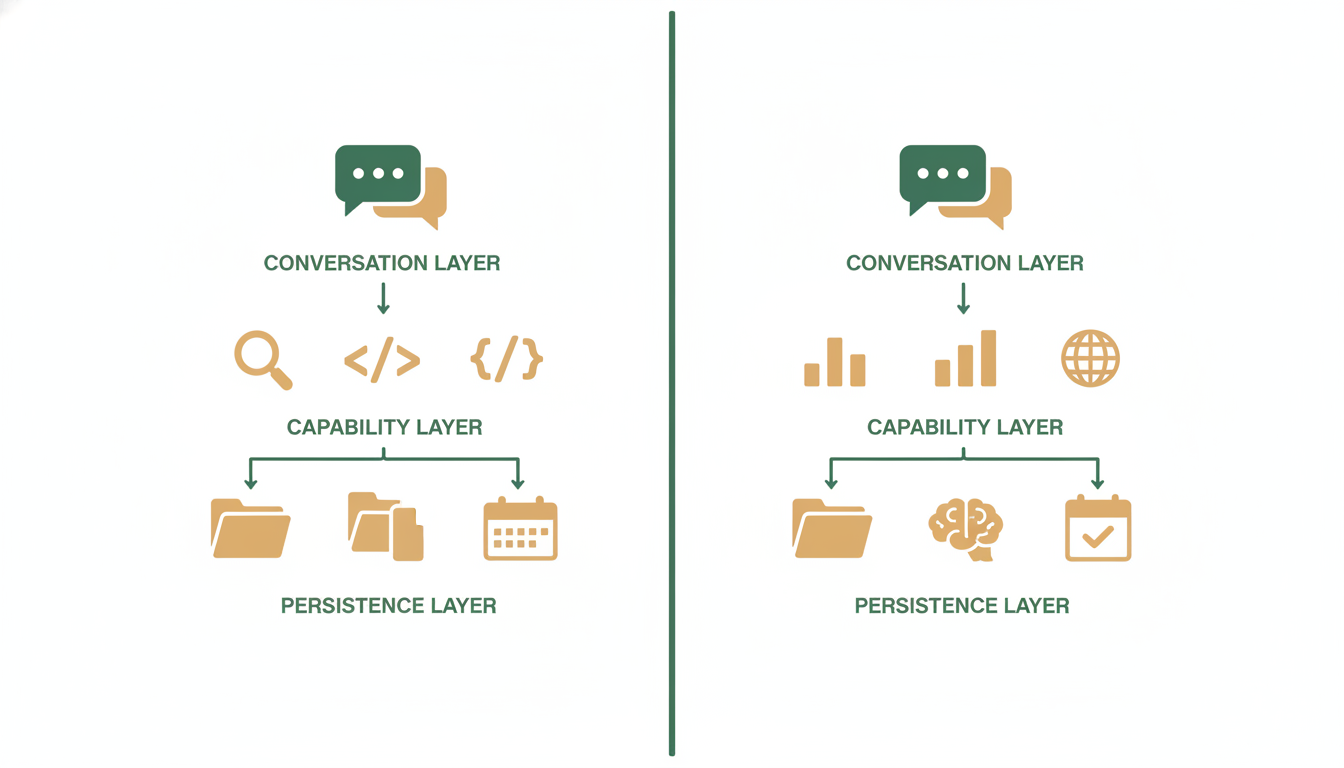
Think of Alfrada as a three-layer system:
- The Conversation Layer — How you steer the work: prompts, live approvals, revisions, chat.
- The Capability Layer — How the work gets done: browser automation, live code execution, search, integrations, content generation, and scheduled execution.
- The Persistence Layer — Where the work lives: sessions, generated assets, memory, history, playbooks, and task runs.
Step Inside a Session
Watch how a request moves from raw prompt to polished output.
Rules of Engagement
Get the highest possible yield from your sessions by following these five core principles.
Provide constraints, not magic
Give the system explicit parameters, context, and boundaries to operate within. The more specific the frame, the better the output.
Analyze [subject] using only [these 3 sources]. Focus on risks and opportunities for [audience]. Cap the output at 500 words and flag any claims you cannot verify.Explicit constraints eliminate guesswork and produce focused, decision-ready output.
Name your deliverables
Always specify the exact output format you need. Say Markdown memo, structured CSV, or 10-slide presentation — never just "help me with this."
Turn this research into a 10-slide investor update deck. Each slide should have a headline, 3 bullet points max, and a source footnote. Export as a presentation file.Naming the format forces the system to plan around a concrete artifact instead of producing freeform text.
Ask for continuity explicitly
When the job started earlier, tell Alfrada to search history and pull the relevant context forward. Do not assume it will remember on its own.
Search my conversation history for the last time we worked on [project]. Summarize where we left off, what files matter, and what the best next step is.Explicit continuity requests activate history search and bring forward the right context.
Separate chat from artifacts
Keep the chat channel strictly for steering and revision. Let the Work Panel handle the finished assets. This keeps the thread readable and the outputs findable.
Codify your success
When you nail a complex workflow, save it as a Playbook so you never have to design it from scratch again. A playbook turns a one-off win into a repeatable operating pattern.