
Safety And Approvals
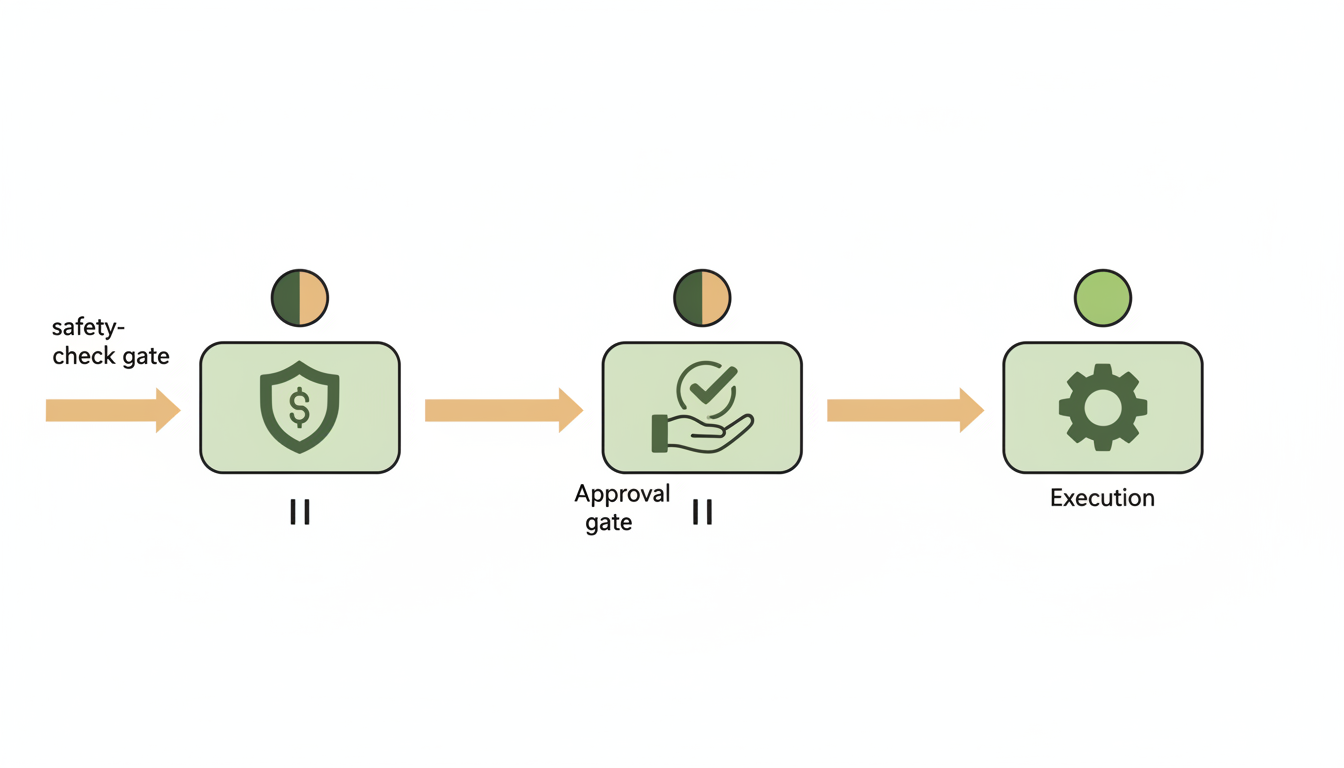
Alfrada is designed to be highly capable without becoming reckless. The point of safety settings is not to slow useful work down. It is to decide which actions can happen quietly, which ones should pause for approval, and where you want tighter control.
What Safety Settings Actually Do
Safety settings control how much autonomy the agent has in your workspace.
They affect things like:
- whether new tools can be activated without asking first
- whether the agent should stop for clarification questions
- whether sandbox actions like shell access, package installs, or outbound network use should pause for approval
- whether connected accounts such as Google, GitHub, Slack, or Zoom can perform higher-risk actions without interrupting you
In other words, safety settings shape the balance between speed and supervision.
The Three Safety Profiles
Alfrada includes three top-level profiles in the Safety Center.
Recommended: approval is still required for risky actions, including sandbox shell access, package installs, and outbound network useLudicrous: nearly everything is auto-approved, including sandbox actions, so the agent can move without interruptionCustom: you fine-tune individual controls instead of relying on a single preset
For most users, Recommended is the right default. It preserves momentum while still adding checkpoints where mistakes or unintended side effects would matter.
General Controls
These are the day-to-day controls most users will notice first.
Auto-approve tool activation: lets the agent enable additional tools without asking each timeAuto-skip Q&A questions: lets the agent proceed with its best judgment instead of pausing for information-gathering questionsAuto-approve image sharing: allows uploaded images to be sent to an external model for analysis or modification without asking first
These controls are useful, but they should be turned on deliberately. Auto-approval is best when the benefit of speed is higher than the cost of a wrong assumption.
Sandbox Safety
Some of the highest-leverage actions in Alfrada happen inside the sandbox. That is why the app exposes them as explicit safety controls.
Sandbox shell access: require approval before the agent runs shell commands or subprocessesSandbox package installs: require approval before the agent installs Python, JavaScript, or system packagesSandbox network access: require approval before the agent makes outbound internet requests from the sandbox
These controls matter because they change what the agent can do operationally, not just what it can say in chat.
Integration Safety
Connected accounts have their own safety layer.
When you link providers such as Google Mail, Google Calendar, Google Drive, Google Docs, Google Sheets, Google Slides, GitHub, Slack, Zoom, LinkedIn, or Outlook, Alfrada can show provider-level or account-level approval controls depending on the capability.
That means you can allow one category of action for a provider while keeping another category on approval, or make different choices for different connected accounts.
How Approval Prompts Work
When an action needs approval, Alfrada shows an approval card with the provider, tool, and a summary of what is about to happen.
You can:
- approve and continue
- cancel the action
- choose
Always allowfor that kind of action if you want similar future requests to proceed automatically
This is most useful when you understand both the tool and the action category being approved. The approval moment is not just a permission step. It is also a quality checkpoint.
A Practical Rule For "Always Allow"
Use Always allow for repeated, low-risk, well-understood actions.
Be more cautious with:
- external network access
- package installs
- shell access
- actions that send messages or modify external systems
- anything you would struggle to audit after the fact
If your setup starts feeling messy, the Safety Center also gives you a simple Reset all to recommended path.
Google Tools Are Conservative By Default
Google-connected tools are powerful, but they should not be treated as unrestricted admin access.
By default, they are better thought of as tools for reading, drafting, creating, updating, and organizing work rather than deleting it. In particular, do not assume Google tools will delete content by default.
That matters because many users are comfortable letting an agent draft a Google Doc, create a slide deck, search Drive, or prepare a reply, while being far less comfortable with destructive cleanup. The product is intentionally safer on that boundary.
How To Use Safety Settings Well
- start on
Recommendedunless you know exactly why you want less friction - approve only what is needed for the current workflow
- use
Always allowsparingly and deliberately - tighten controls when working with external systems or sensitive data
- loosen controls only when the workflow is repetitive, well understood, and easy to audit
Trust The Agent, Verify The Important Parts
Safety settings reduce risk, but they are not a promise of infallibility.
Alfrada is designed to reduce many of the usual LLM failure modes by combining planning, tools, memory, files, and explicit approval gates. That makes errors less likely and easier to contain. It does not mean judgment is no longer required.
The best operating posture is simple:
- trust the agent to move the work forward
- inspect approvals before granting broad autonomy
- fact-check important claims, numbers, and decisions when the cost of being wrong matters
Prompting With Safety In Mind
If a workflow may trigger sensitive actions, say your boundaries up front.
You may research broadly, but do not send messages, connect accounts, or take irreversible actions without asking me first. If a tool needs approval, explain why before requesting it.Clear boundaries reduce unnecessary interruptions and make approvals easier to evaluate.
Help me achieve [objective], but stay on the safe side. Ask before using risky external actions, package installs, shell access, or anything that changes third-party systems.This is useful when you want the agent to self-plan while still keeping tighter control over operational actions.