
Swarm
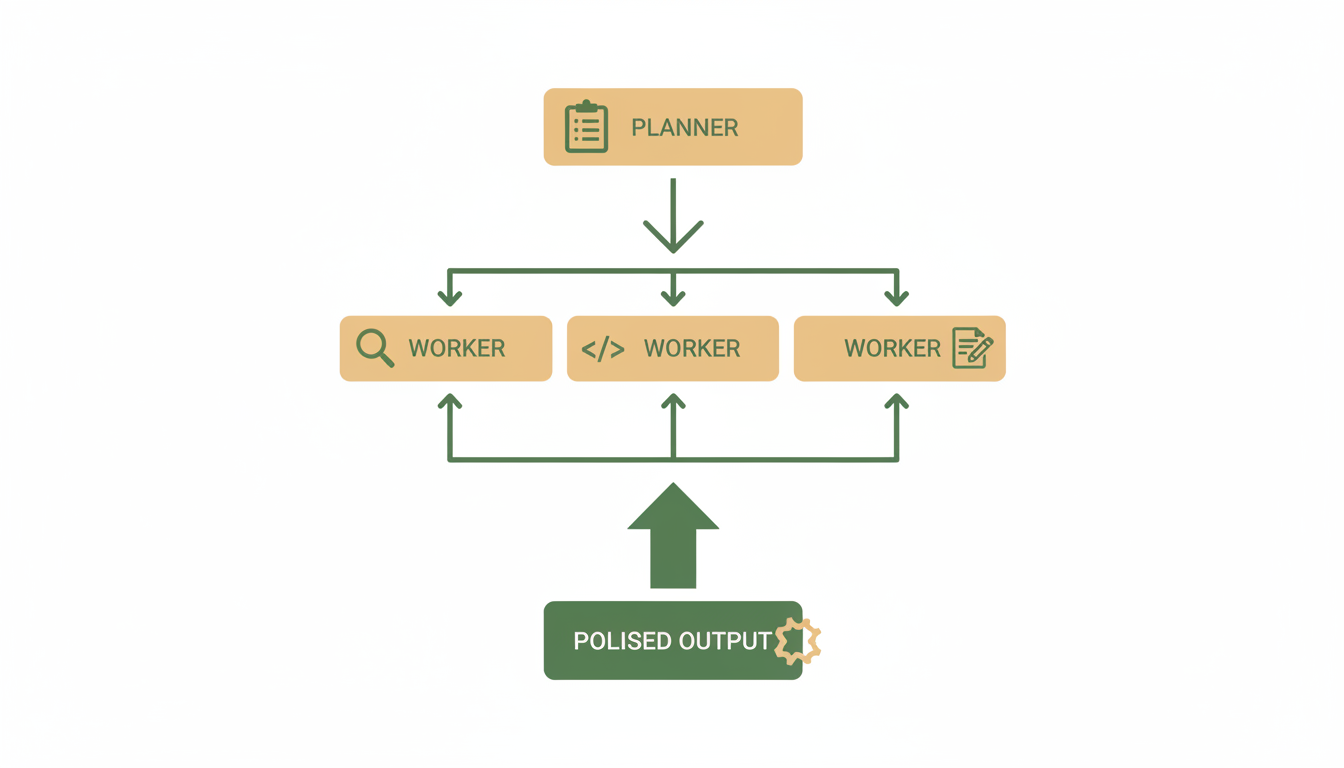
Swarm is Alfrada's multi-agent mode. It is useful when one agent should not be responsible for everything.
When Swarm Shines
- complex research with multiple sub-questions
- strategy work that benefits from challenge and synthesis
- code or document review where one pass is not enough
- deliverables that need planning, execution, and QA
What To Expect
When you use Swarm, Alfrada can:
- break the work into sub-tasks
- coordinate multiple roles
- ask for feedback or clarification when needed
- surface progress in the dedicated
Swarmpanel
Reviewing And Launching The Plan
Before any workers run, Alfrada drafts a plan and pauses so you can review it in the Swarm panel. Each step shows its role, the tools it will use, and the model assigned to it.
From there you can:
Unleash Swarm— start the run with the worker swarmCancel— discard the plan and return to chat
Execution runs in the background on the server. You can close the window and come back — your progress and the finished result will be waiting. Most runs take a few minutes; longer, more rigorous agent flows can take hours.
See A Mock Swarm Flow
This guided demo shows how a Swarm session can decompose work, make progress visible, stop for user input, and converge on one final answer.
How To Prompt Swarm Well
Ask for roles and quality checks directly.
Use Swarm mode for this task. Split the work into research, synthesis, and QA. Challenge assumptions, reconcile disagreements, and return one final answer with explicit confidence levels and unresolved risks.This gives the multi-agent system permission to decompose, critique, and converge instead of producing a shallow single-pass answer.
When Not To Use It
Avoid Swarm for:
- very small edits
- tasks where speed matters more than depth
- simple fact lookup
- quick formatting or rewriting jobs
Review Habit
The best Swarm sessions usually include at least one user checkpoint:
- approve the decomposition
- answer the clarifying question
- redirect once before final output